

Apple does a great job with the hardware and software for its iPhone, iPad, and Mac lines. Breaking into Apple’s walled garden has never been easier thanks to Apple’s Move to iOS app but even with the Move to iOS app, switching from Android to another operating system is a scary thing. While iOS is easy to use, new users often worry about losing data during the transfer.If you’ve heard the stories of lost contacts, deleted photos, and other nightmares, we have good news.
These days, data transfer problems are rare. Apple and Google make the transfer process pretty simple and easy. All you need is a Wi-Fi network and access to both your phone and the Google Play Store on your Android device transferring data like messages, contacts, and photos from Android to iPhone can be incredibly difficult – so much so that some people don’t even bother and start from scratch when upgrading to an iPhone. While it can be a daunting task, with the right knowledge and helpful apps, you can transfer your data from Android to iPhone with ease.
Move to iOS
This app is Apple’s solution for switching from the Android platform to its own iOS platform. It’s a free app that serves its purpose very well, but it has one major drawback: this solution must be done when setting up a new iPhone.
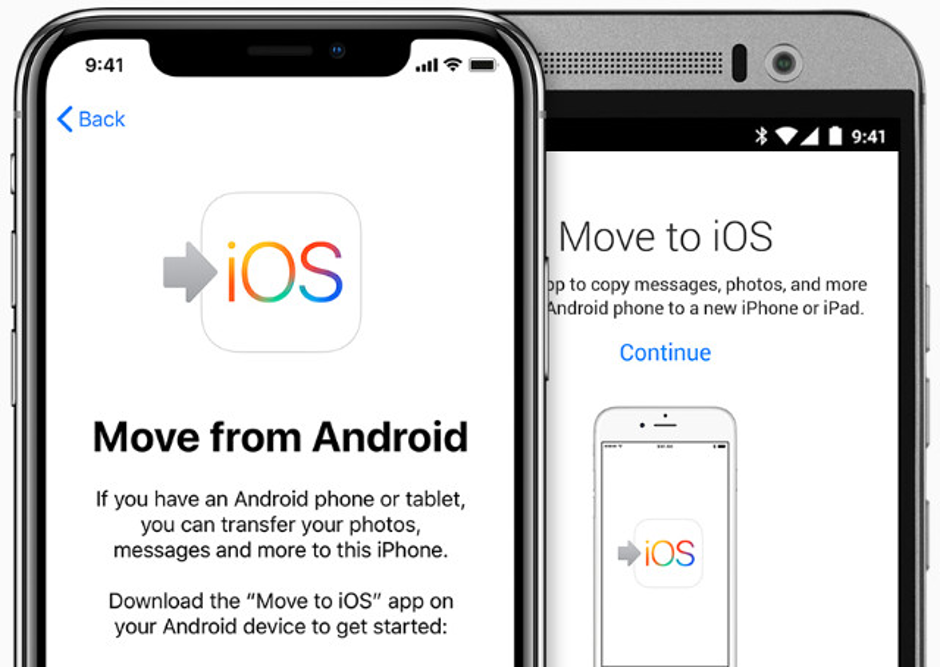
Move to iOS app (Image source: Apple)
If you have already set up your new iPhone and you do not wish to lose data by resetting it, the other methods in this article will be better suited for you.
That said, if you are ready to set up a new iPhone and you want to use the data from your Android, here’s how to use Move to iOS…
- Download the Move to iOS app on your Android device.
- Connect both devices to power, and to the same Wi-Fi network.
- Turn on your new iPhone to start the setup wizard.
Complete each step of the setup until you get to “Apps & Data”. Here, tap the “Move Data from Android” option.
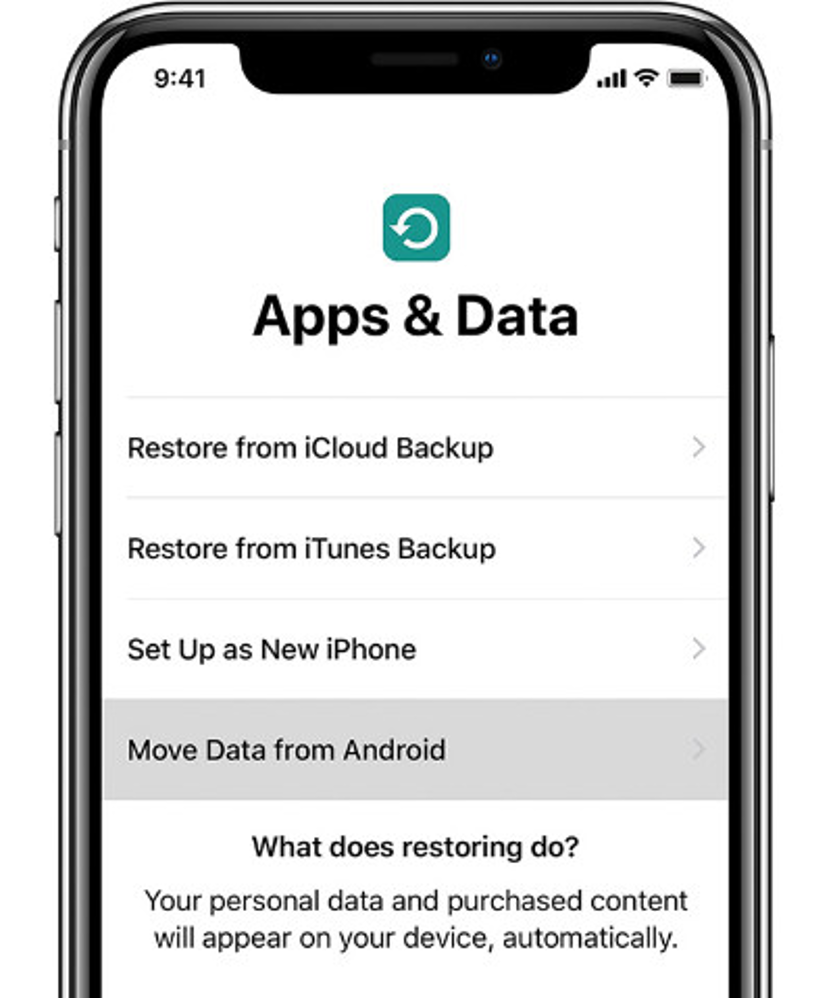
- Launch Move to iOS on your Android and tap Continue. On the “Find your Code” screen, tap Next.
- On your iPhone, tap Continue on the “Move from Android” screen and wait for your code.
- Enter the code on your Android device to make the connection between iPhone and Android.
- On the Android choose what data you wish to transfer to the iPhone and hit next.
- Once the transfer is complete, you can continue and finish the setup on your iPhone!